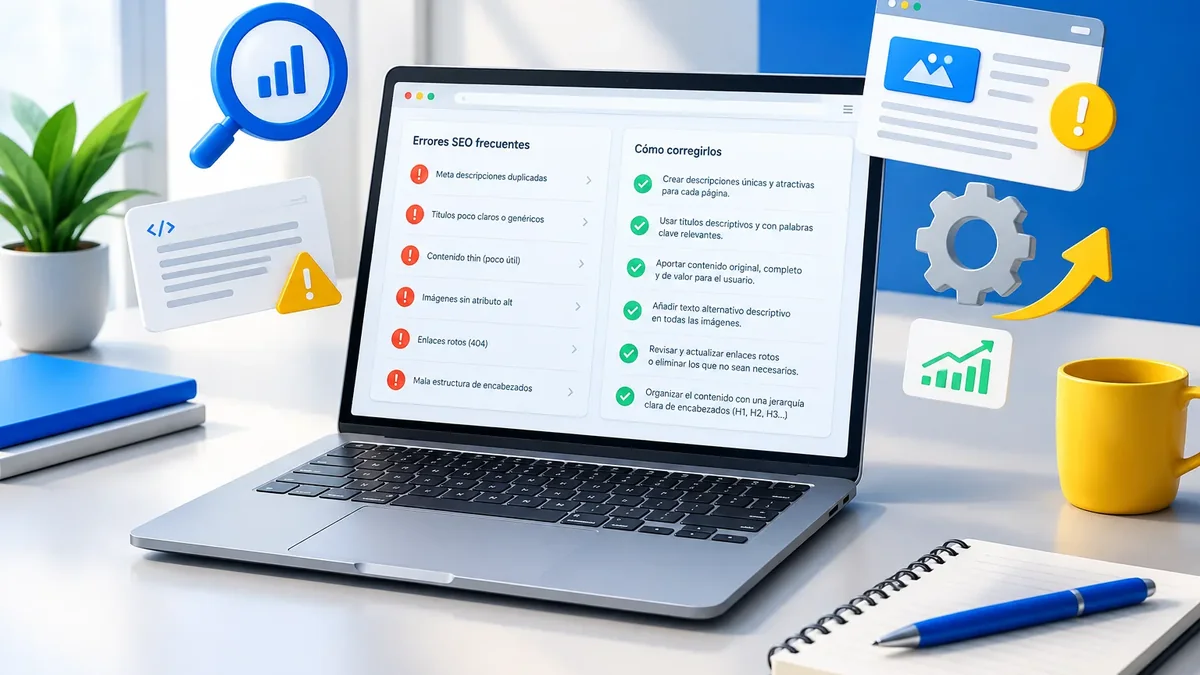
When we review business websites, we almost always find two kinds of problems. The first is neglect: small details nobody checked. The second is excess: trying to optimize so much that the site ends up looking like spam. Both cost your website visits.
This list covers the common SEO mistakes we see most in 2026, with how to spot and fix them. Use it as a quick check before investing in more content or a professional SEO audit.
Technical mistakes
1. URLs with underscores, numbers, or parameters
Google recommends separating the words in a URL with hyphens. An address like /sub_folder/file_name is harder to read than /sub-folder/file-name. URLs like ?p=123 do not help either. If your site already ranks, do not change everything at once: do it as part of a planned redesign, with redirects.
2. Redesigning or migrating without 301 redirects
This is the mistake that destroys the most traffic. You change platforms or structure, the old URLs return 404 errors, and Google loses track of everything you had earned. Before any change, take an inventory of your URLs and redirect each one to its equivalent. If you are about to take that step, rely on a website migration without losing SEO.
3. Blocking your site without realizing it
It happens more than you think. The site goes live with the WordPress “Discourage search engines from indexing this site” box checked, or with a robots.txt file that blocks everything. Check the indexed pages report in Google Search Console as soon as you launch.
4. Slow site on mobile
Huge images, too many plugins, and overloaded hosting make pages slow to load. Most of your visits come from mobile, and Google measures that experience. Check your Core Web Vitals and fix the worst issues first.
5. Duplicate versions of the same site
If your website loads with and without www, and with http and https, Google may see four different sites. Choose one primary version, redirect the others, and use canonical tags.
Content mistakes
6. One page for all your services
If you sell five services and explain them all on one page, you compete poorly for all five. Every major service deserves its own page, with its own title, copy, and FAQ.
7. Duplicate titles and meta descriptions
Finding 40 pages titled “Home” or with just the company name is more common than you would think. Every page needs a unique title that says what it is about. If you have many pages, title tag and meta description optimization is one of the most cost-effective improvements.
8. Keyword stuffing
Repeating “web design Miami” in every sentence no longer works and can backfire. Google understands synonyms and context. Write naturally, answer well, and use the keyword where it makes sense: the title, the first paragraph, and a subheading or two.
9. Copied or AI-generated content without review
Copying manufacturer descriptions or publishing unedited AI text produces generic pages. The problem is not the tool, but publishing something that adds nothing new. Add your own experience, data from your business, and real examples.
Strategy mistakes
10. Hyphenated domains and forced keywords
Registering something like best-cheap-web-design-miami.com to rank higher no longer gives you an edge. Years ago, Google reduced the weight of low-quality exact-match domains. A short, memorable brand is a better investment. If you're choosing one, read how to choose your website domain.
11. Buying links or miracle packages
A thousand links for a one-time payment sounds good, but they usually come from low-quality sites. At best they do nothing; at worst, they get you a manual action in Search Console. Authority is built through real relationships and content others want to cite.
12. Not measuring anything
Without Search Console and Google Analytics 4 set up, you do not know what works. Install them from day one and review the data at least once a month.
What order to fix things in
Not all mistakes carry the same weight. If you find several at once, rank them by impact and effort. Anything that blocks indexing comes first, because without indexing nothing else matters. Next comes whatever affects many pages at once, like slow templates or duplicate titles. Fine-tuning the content comes last.
- Make sure Google can crawl and index the site: robots.txt, noindex tags, and the Pages report in Search Console.
- Fix broken redirects, 404 errors on pages that used to get traffic, and duplicate versions of the domain.
- Improve the speed of your main templates: home, services, categories, and product pages.
- Rewrite duplicate titles and meta descriptions, starting with the pages that get the most impressions.
- Expand or split the content for services that currently share a page.
- Review your backlink profile and disavow only what is clearly toxic, with good judgment and without panic.
Document every change with its date. That way, when you review Search Console in the following weeks, you will know which fix moved which result. This simple discipline keeps you from repeating mistakes and lets you explain to your team why SEO is worth continued investment.
If your site runs on WordPress, many of these fixes can be done from the dashboard with a good SEO plugin, but it is wise to have someone experienced review major changes. A WordPress SEO service covers exactly those adjustments.
Quick diagnostic table
| Symptom | Possible cause | Where to check |
|---|---|---|
| Traffic suddenly dropped | Migration without redirects, or blocked site | Search Console, Pages report |
| Lots of impressions, few clicks | Unappealing titles | Search Console, Performance report |
| Pages that do not show up | Not indexed or duplicated | URL Inspection |
| Visitors who leave quickly | Slow pages or content that does not answer the question | Analytics and PageSpeed Insights |
Key point: Fixing these mistakes does not guarantee a specific ranking, but it removes the roadblocks that keep your good work from being noticed.
If you want to see the full process for growing on Google after fixing the basics, continue with our guide to ranking your website on Google.
Think your site has some of these mistakes? We will help you find them and prioritize what to fix first.
Talk to an advisor